


Hot App Reviews - Best Free Apps Download & Guides

Install Instagram at No-Cost

WhatsApp Setup

Download and Install YouTube

Download Zoom Easily
 4.7
4.7
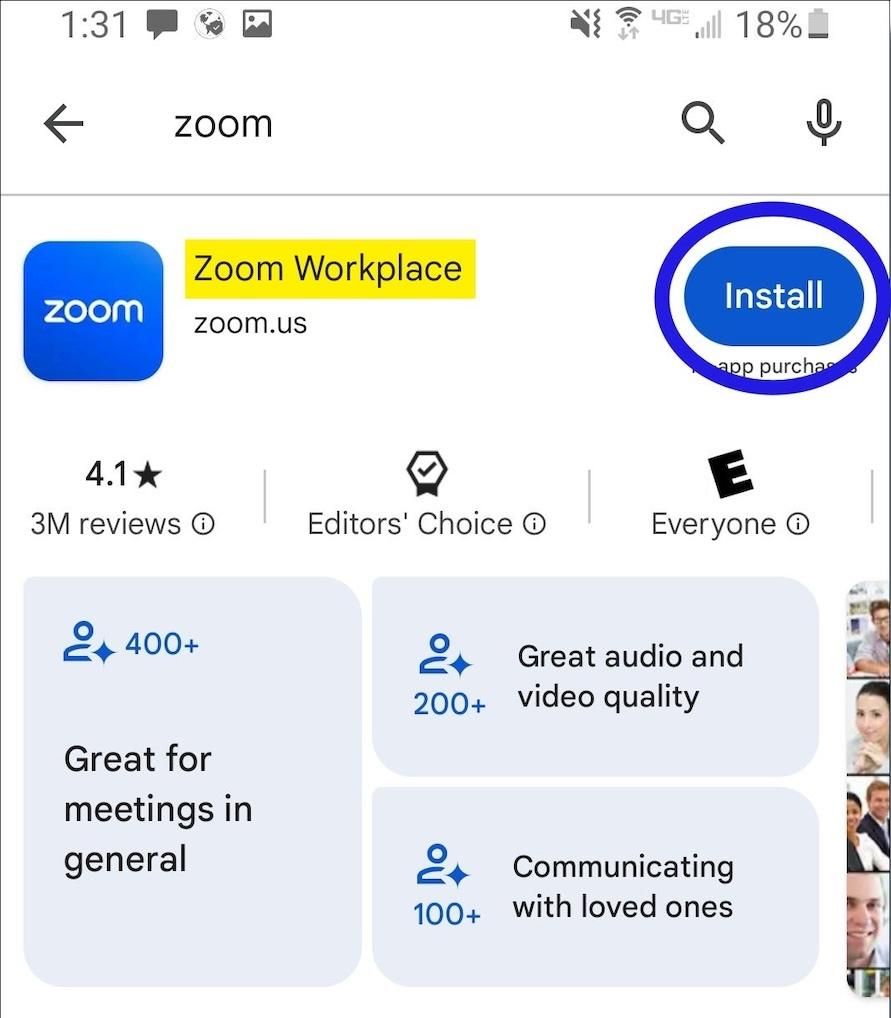
How to Install Zoom on Various DevicesFor Computer Systems (Windows and Mac):1. Open any browser and go to its official website herehttps://zoom.us/download.2. Click the blue “Download” button.3. Once downloaded, look for the installation file for Windows (ZoomInstaller.exe), or the .pkg file on Mac – in your downloads folder. Run the installer by double clicking, then follow the instruction on screen.4. If it requests any permissions, accept them through your operating system.For Mobile Android and iOS- Android:1. Open the Google Play Store.2. In the search box, type “Zoom Workplace” or install directly from here https://play.google.com/store/apps/details?id=us.zoom.videomeetings&hl=en_US.3. Click “Install” and wait for it to download.- iOS:1. Open the Apple App Store.2. Search for “Zoom Workplace”, or access it directly from here https://apps.apple.com/us/app/zoom-workplace/id546505307.3. Tap “Get” to download and install the application.Once installed, you can open Zoom and either log in or create an account.

Breathe Easy with Weather Channel App
4.3
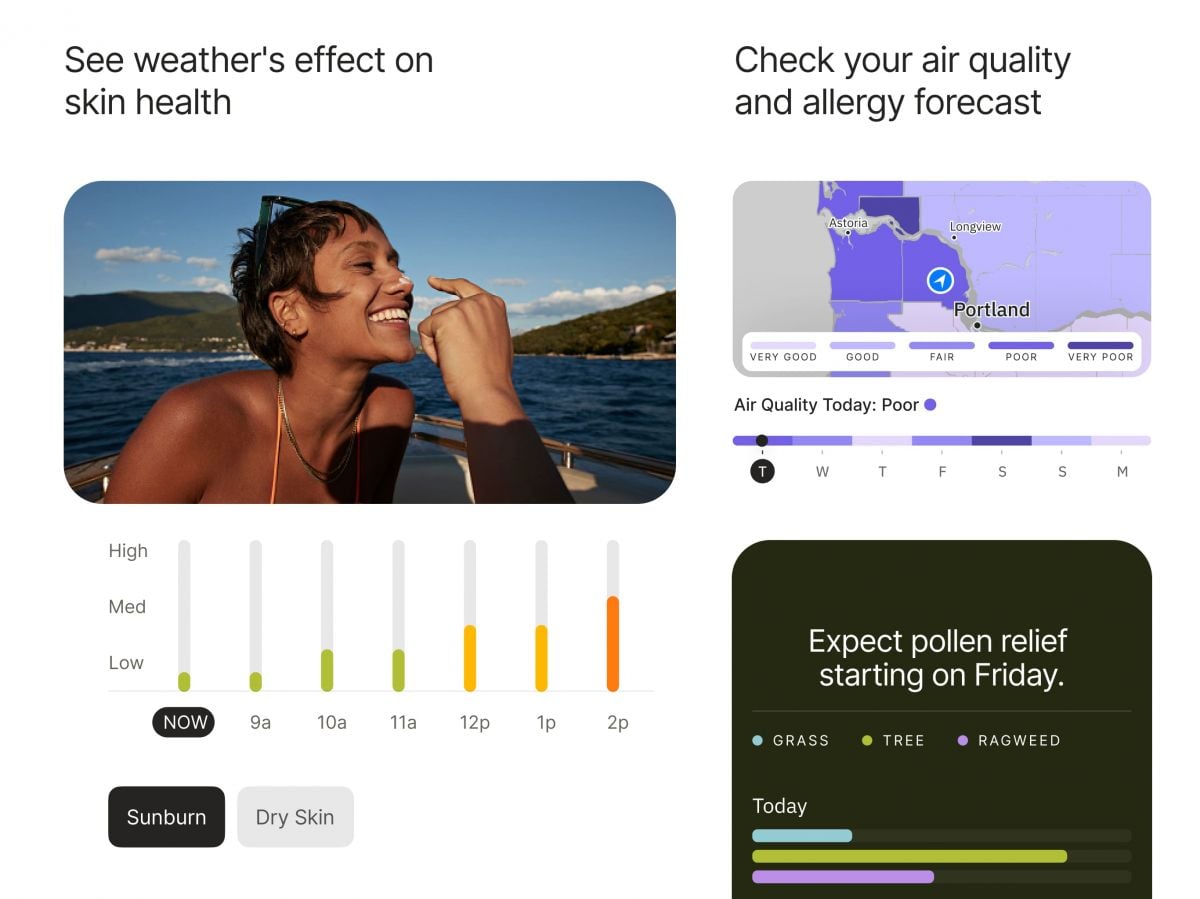
Users need to access The Weather Channel for air quality readings through their app by choosing “Air Quality Index” (AQI) from the main menu. The app displays color-coded AQI scales that reflect prevailing air pollution levels. Tap on your location to receive accurate readings of PM2.5, PM10, and other particulate matter harmful to people who have respiratory diseases.To monitor pollen, go to the “Allergy & Pollen Forecast” feature. The application gives grass, tree, and weed pollen values during the course of the day and uses qualitative terms like “low,” “medium,” and “high.” For individuals who have severe sensitivities, set up individual notices to notify you of increases in allergen content.Additionally, you can combine these points with weather forecasts to select good times for outdoor activities or even cancel plans based on live pollen distribution maps. These resources are particularly useful during the peak allergy season when allergens are abundant outside.In brief, The Weather Channel’s air and allergy quality utilities are a requirement for allergenic and pollution-intolerant patients. Not just do these instruments provide real-time environmental data, but they even allow users to make intelligent decisions regarding their well-being, elevating the level of life altogether.

Control Your Home with Amazon Alexa’s Voice Control
4.1
1.Hands-Free ExperienceTurn on the security system, turn up the AC, or dim the lights from anywhere, just say “Alexa, increase the temperature by 1°C”or “Turn off the bedroom lights.”No buttons, apps or remotes required — your voice is the ultimate remote.2.Smart Home IntegrationAlexa speaks to thousands of compatible devices from smart plugs, locks, cameras and more. And actionable commands, “Alexa, make the coffee”, or “Lock the front door”– activate your home with just those simple words.3.Personalized RoutinesCraft custom routines with one trigger. “Alexa, good morning”would be able to do things like brew your coffee, read you the news and turn on the lights all with a single action.4.Entertainment On DemandPlay music, listen to the news and moreinstantly. “Play jazz in the kitchen”or “Skip this track,”you can take command immediately.5.Daily Task ManagementSmartphones have evolved, and now you can decide whether to shop online. Try saying, “Alexa, remind me to call Mom at 3:00 p.m.,”or “Add milk to my shopping list.”Control a non remote device with your voice when paired with an Alexa enable device such as Echo or Dot. Embrace the future of hands-free living.

Why Is Little Caesars Special?
4.8
For years, Little Caesars is regarded as the “Best Value in America”, because you can have a big meal quickly and without paying too much. Everybody loves Little Caesars, it offers opportunities to low-income families to eat full, and the taste is good as well.Convenience is key, too. Get fresh pizza in no time with the Pizza Portal® and contactless delivery for quick pick up at select locations.As the No 3 pizza chain in the world, founded for more than 65 years, it combines tradition with latest technology. Whether it's lunch, dinner, or anything in between, we can satisfy your cravings with Crazy Bread® and a Crazy Custom Create-your-Own pizza at the unbeatable value you expect from Little Caesars.