

2024 Apps - Free Download & Official Reviews

Beginner-Friendly Sports Betting on Stake.com
 5
5
Soccer (Football): Football is the world game with a widely popular betting variation that is easy to comprehend, such as winner of match, over/under goals, and both teams to score. Having so much information available makes it easier for newcomers to place smart bets.Tennis: Betting on tennis is simple with common markets like match winner, set winner, and games in play. Tennis matches are typically brief, and beginners can quickly understand results and outcomes.Basketball: Similar to tennis, basketball offers simple bet types like moneyline and point spreads. The fast pace and high scoring frequency make it exciting and easier to comprehend for new bettors.Esports: Stake.com also has esports betting, which is growing very rapidly. Leagues like League of Legends, CS:GO and Dota 2 have simple betting markets and are popular among young players who know the game.Quick Tips for All Beginners- Start with single‑leg bets before attempting parlays.- Bet small to maintain control of risk and become comfortable with the platform.- Utilize Stake.com’s live odds feed to spot value opportunities.- Utilize the “My Bets” page to monitor outcomes and adjust your strategy.


What Not to Do After Winning on Stake.com
5
1. Don’t Chase Losses: Allow your winning money to stay intact by refusing to put all your money back into gambling at once when you seek a double return. Chasing losses or the efforts to recover lost stakes can cause immense financial damage.2. Stop Emotional Betting: Winning can lead to emotional overconfidence and lead to impulse betting according to emotions and not strategy. Stay disciplined and stick to your plan rather than behaving emotionally.3. Don’t Ignore Withdrawal Opportunities: It’s wise to withdraw some of your winnings periodically instead of having all funds on the site. This reduces the chances of losing everything on subsequent bets.4. Don’t Disclose Private Details: Your account security demands that you refrain from revealing your login details and sensitive data because this practice could attract unwanted phishing attempts and publicity after a positive gaming outcome.5. Don’t Ignore Responsible Gambling Features: When gambling wins start feeling too high consider lowering your betting activities by enabling features on Stake.com for self-exclusion along with setting betting limits.In all, keeping your wins responsibly in check by avoiding being reckless on your bets, locking your account, and practicing responsible gambling tools will have you enjoy your win on Stake.com in the long run.
Simple Steps to Install Ghost Detector
4.2
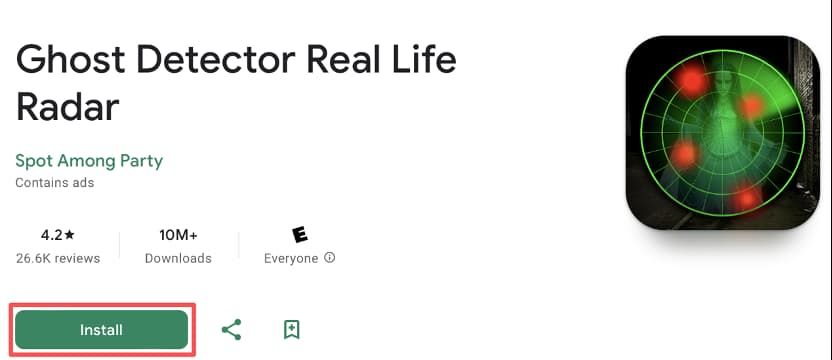
To download Ghost Detector Real Life Radar, start by opening your device’s app store, i.e., Google Play for Android users. Or more simply, visit the same downloading page from here https://play.google.com/store/apps/details?id=com.Radar.CameraReal.GhostDetector&hl=en. Since Ghost Detector Real Life Radar is not found on the iOS App Store, there are some installation steps described below only for Android users. Type the full name of the app into the search bar to find the official app released by Spot Among Party. Always verify the developer’s name to avoid imitations or unofficial releases. Click the install button upon location. Tap install button, after finding it. Depending on the internet speed, the app will download and install itself in a few minutes.Make sure your device has enough memory and a good internet connection before it is installed. The application is not heavy hence will not significantly strain your phone although it is advisable to update the system regularly so as to render smooth compatibility. Once installed, provide the required permissions, including location services, with which the app works to imitate the radar type of ghost detection. Without these permissions, the core functions may not operate properly.Its icon will be on your home screen once you have installed it. Tap its icon to launch it for the first time. You might be shown a brief tutorial screen explaining simple controls and functionality, and that’s a good way of getting used to prior to actual use.

Discover Unique Features of Ghost Detector
4.2
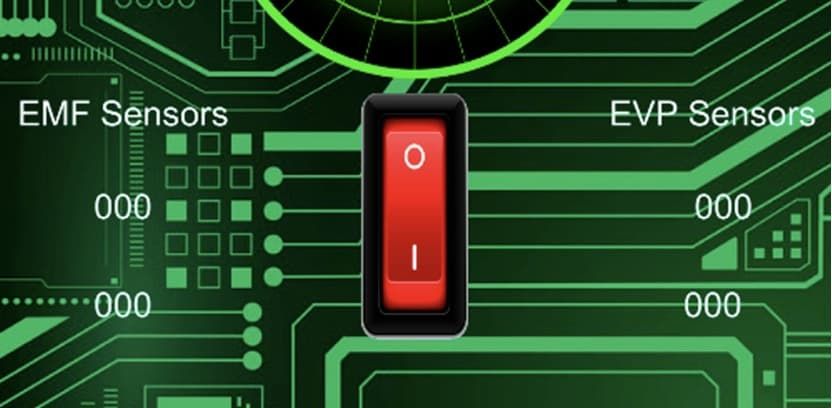
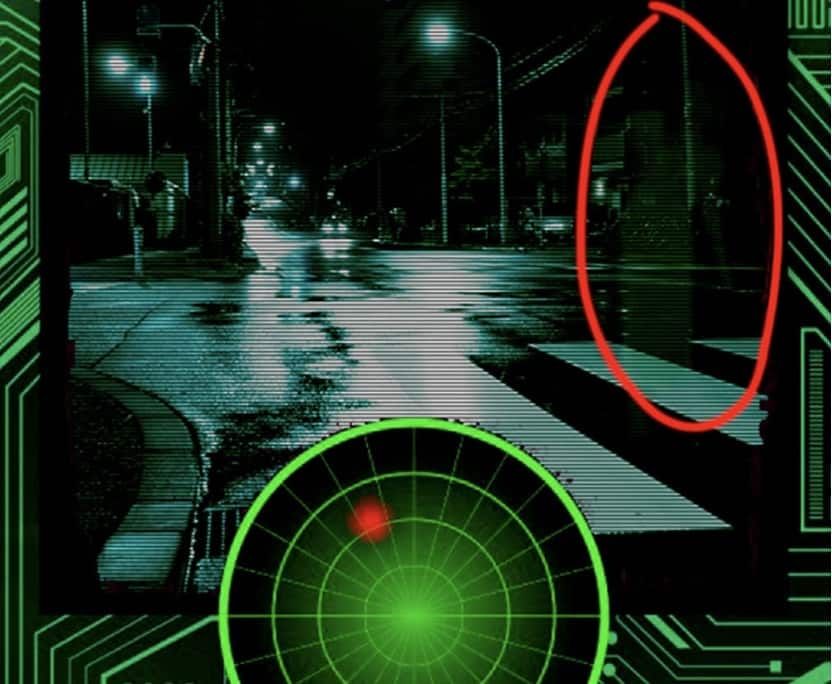
At its core, Ghost Detector Real Life Radar combines a series of advanced features: a ghost radar, a camera scan, EVP (Electronic Voice Phenomenon) recording, and interactive maps. The radar serves the purpose of visualizing spirits that are within range, and the camera makes use of real-time scanning to look for hidden movements, sometimes signaling their presence with red dots or radar spots. The app also uses your device’s light, infrared, and motion sensors to add to detection, adding credibility to each sighting—though ultimately for entertainment. Its night vision mode is also a stand-out feature, allowing users to explore dark places and perhaps find spooky activity where conventional means cannot.This app differs from more flexible ones, favoring simplicity of use. There are hardly any settings, so beginners can just jump in without confusion. With its EVP recorder, the users attempt to record anomalies in ambient sound—getting whispering voices or unexplained sounds on playback sometimes. The application is ideal for solo entertainment or group excursions, offering a new thrill each time. However, it should be understood that the result depends mainly on the quality of the device’s sensor and environment.

Experience Ghost Hunting from Your Phone
4.2
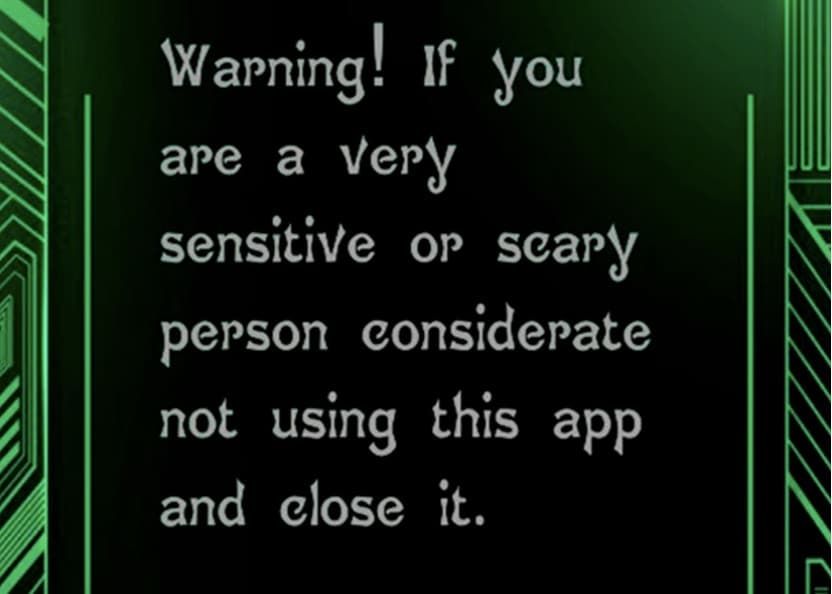
Start by opening the application and allow the device sensors permission. Upon opening, the user is greeted with a radar screen and, if one is enabled, a live video feed. The app guides users to walk around their environment; movement or abnormalities are indicated as red dots or changes on the radar screen. Because the microphone on the device is set to pick up ambient noise, the app also suggests using the EVP or EMP meters on-screen to capture what is likely inexplicable voices or energy surges. Explore a variety of different locations—house, basement, outdoors—to collect data and try to find potential hot spots for activity.Ghost Detector Real Life Radar is most enjoyable with friends, in dimly lit rooms, and open minds. Observe the radar closely, since blips can move towards the center, which means a closer “presence.” Those seeking proof can utilize the night vision of the camera to capture images during the session. The ease of design of the app means minimal setup; simply follow on-screen prompts and experience a hands-on paranormal adventure.Use the app cautiously. Developers clearly indicate that as much as made for entertainment, the strong supernatural material may frighten or discomfort sensitive users. In case of unpleasant outcomes are delivered by the app, switch it off and exit the location. Trips to haunted locations should always be undertaken responsibly, with an appreciation that the app results are based on the consumer device sensors’ capability and are not scientifically tested.

How Does Ghost Detector Actually Work
4.2
Technically, Ghost Detector Real Life Radar employs device sensors such as camera, infrared sensor, microphone, light, and even magnetometer to scan for anomalies within the environment. The radar mode translates fluctuations within these sensors into on-screen movement or sound waves. Unusual readings or static changes may appear as moving red dots, which can be viewed in the radar mode of the app. The camera is set to detect sudden movement or shadows, and the EVP recorder is idle awaiting unexplainable noises—tuning in and filtering out faint noises to “pick up” “ghost voices.” It even has night vision capability to enable users to “see” spirits in dark places.Nevertheless, it must be said that the app is programmed to be entertainment. Different disclaimers indicate that the findings are not scientifically verifiable. Physical or electromagnetic movement in the device environment—Wi-Fi signals, radios, metallic devices, or light changes—can be detected as “paranormal” activity. Hence, as good as the app might be at simulating ghost hunting, there is no method it can have to differentiate between actual paranormal activity and simple environmental movement. Most professional critics and developers point out that there is no scientific foundation for smartphone apps to actually detect ghosts. So users ought to read in an open and enjoyable manner, recalling that any evidence must be regarded as speculative.

Stay Updated for Spookier Adventures
4.2
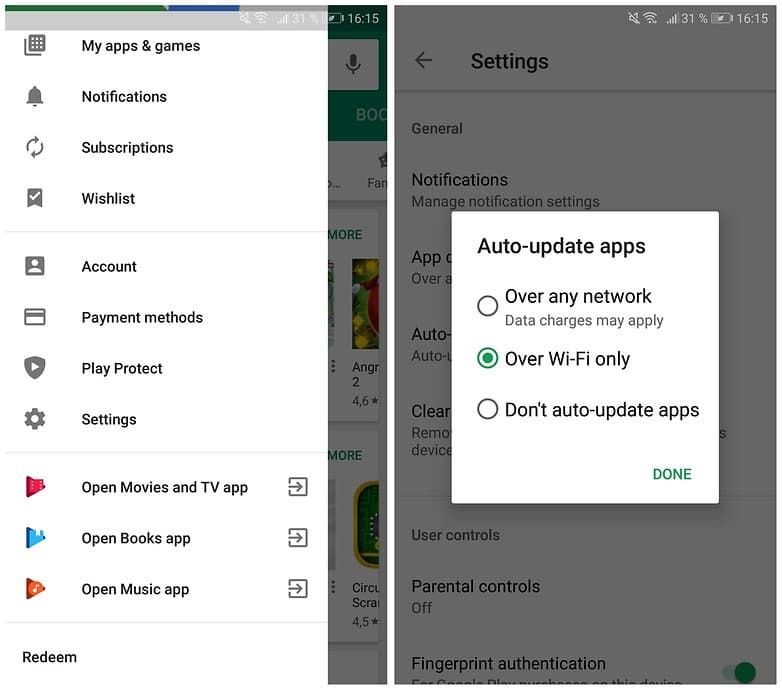
It’s easy to update Ghost Detector Real Life Radar. On an Android device, go to the Google Play Store, touch your profile picture, and go to “Manage apps & device.” It is from this area that you will check whether Ghost Detector Real Life Radar is listed under available updates. Touch “Update” to install the new version. Sadly, Ghost Detector Real Life Radar does not appear in the iOS App Store, so the update process in this article is intended for Android subscribers only.You can also enable automatic updates on Android. This keeps the app up to date without the need to do it manually. To do it, go to your device settings or app store preferences and enable the auto-update feature. In this manner, you will never be left behind on the version installed at any given time when the developer has made some improvements.Staying current is more than being convenient. New releases may have better operating system update compatibility, enhanced graphics, or additional sound effects. Updates will also beef up security with patches that repair holes. Failing to receive updates may result in less functionality or crashes, which will disrupt your ghost-hunting activities.

Using Amazon Alexa from the Beginning of Installation
4.1
1.For AndroidOpen the Google Play Store, search for "Amazon Alexa," and then tap "Install."2.For iOSEnter the "App Store," search for "Amazon Alexa" in the search section, select it and tap on"Download/Get" to download.3.For Windows PC UsersThe app is already in Microsoft Store, and you can download it by searching for Amazon Alexa. You can then click on “Get” or “Install.” Mac users can use Amazon Alexa via the website and there is currently no app for macOS.Once installed, open the app and sign in with your Amazon account. If not, you can create one within the app. After signed in, you can then configure your Alexa-enabled devices to go online and connect to your home Wi-Fi network and choose the sound they will play when prompted.

There’s More to Amazon Alexa Than the Voice Assistant
4.1
1.NaturalandConversational AIAmazonAlexa uses the generative reasoning capability of AI to comprehend context and engage in coherent dialogue. It is capable of remembering previous exchanges, does not need repetitions of the wake word to follow-up questions and can understand informal speech.2.Seamless Smart Home ControlIt is compatible with more than 600 million Alexa-enabled machines as a hub that can control lights, locks, cameras and other things. With voice commands you can control thermostats, check security cams or play music in different rooms.3.Personalized Task ManagementAlexa can observe user behavior for learning purposes (for example, calendars and shopping habits) to deliver personalized reminders, summary of emails stored in the inbox, tracking prices of products in which users are interested, and writing messages. Its“Routines”function can automatically trigger actions by time of day or performance of specific outdoor activities.4.Multi-Modal CapabilitiesBeyond voice, Alexa+ integrates visual ID for personalized responses, analyzes uploaded documents/photos, and collaborates with services like Uber or OpenTable to book rides or dinners.5.Accessibility and ExpansionPrime members access Alexa+ for free, while non-members pay a monthly fee. Its model-agnostic system (using Amazon Nova and Claude) ensures optimal performance for diverse tasks.

Amazon Alexa Runs Your House Alone
4.1
1.Group Together Devices: Open the Alexa app, tap “Devices,”select “Create Group”and add every item in each bedroom or kitchen, or on each porch, so a bigger command can hit them all.2.Create Routines: “More, Routines,+,”choose a trigger — voice (“Movie time”), schedule (sunset) or sensor (front-door open) — then layer actions on top of each other: dim lights, lock door, announce “Cinema on,”nudge thermostat to 72 degrees. Drag them into the sequence you want;Alexa follows suit without delay.3.Add Smart Skills: Enable “SmartThings,”“Ring,”or “Philips Hue”for deeper scenes like “Away mode”that arms cameras, switches off every plug, and randomizes lights while you vacation.4.Test Each Routine Once: If something misfires,drag the step higher or lower, or insert a 5-second wait. In under five minutes you’ll have sunrise alarms that fade lights up, coffee brewing, and news briefing—zero further words required.