

Hot App Reviews - Best Free Apps Download & Guides

Install Instagram at No-Cost

WhatsApp Setup

Download and Install YouTube

Keep Temu Always Up-to-Date
 4.4
4.4
Update Methods1. Auto Updates: For both Android and iOS, select “App Updates” in your device settings to update your Temu application automatically whenever a newer version is released.2. Manual Update: Go to the Play Store for Android or the App Store for iOS, search for “Temu,” and if it says that an update is available, just tap on “Update”.3. Desktop Version: Since Temu is web-based on PC browsers, the updates are automatically done. You just have to refresh the page to experience the new features.


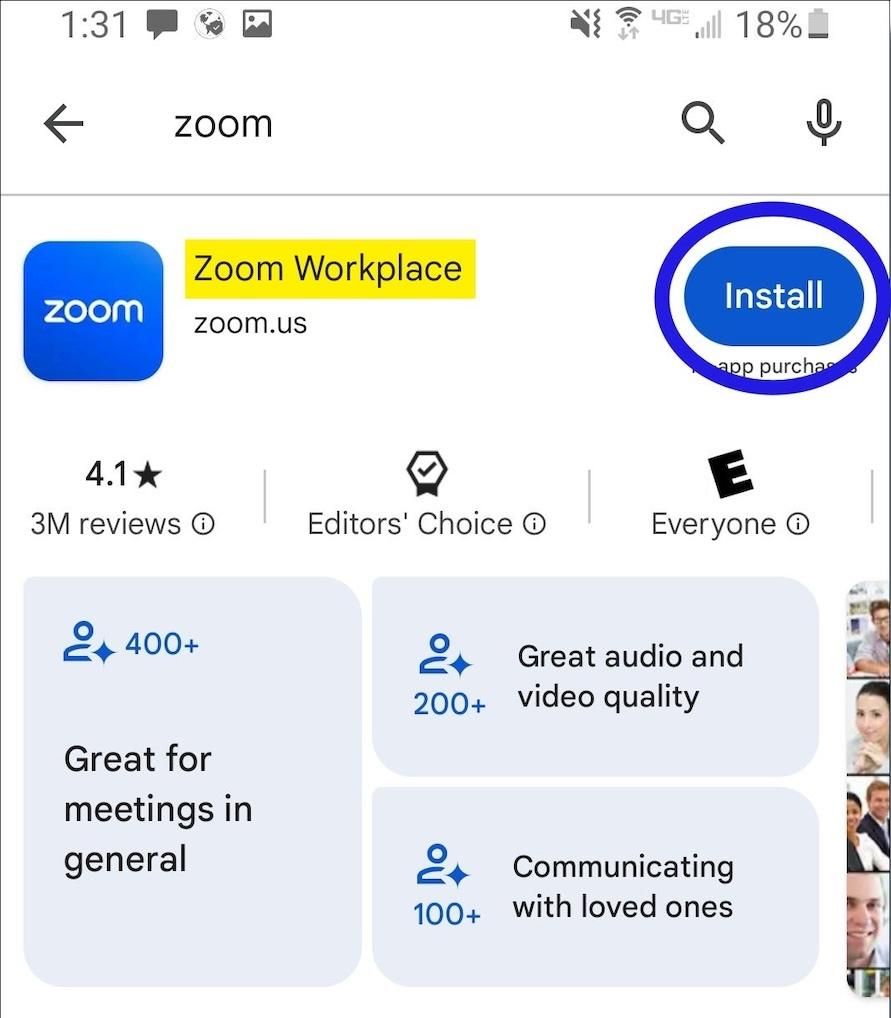
Download Zoom Easily
4.7
How to Install Zoom on Various DevicesFor Computer Systems (Windows and Mac):1. Open any browser and go to its official website herehttps://zoom.us/download.2. Click the blue “Download” button.3. Once downloaded, look for the installation file for Windows (ZoomInstaller.exe), or the .pkg file on Mac – in your downloads folder. Run the installer by double clicking, then follow the instruction on screen.4. If it requests any permissions, accept them through your operating system.For Mobile Android and iOS- Android:1. Open the Google Play Store.2. In the search box, type “Zoom Workplace” or install directly from here https://play.google.com/store/apps/details?id=us.zoom.videomeetings&hl=en_US.3. Click “Install” and wait for it to download.- iOS:1. Open the Apple App Store.2. Search for “Zoom Workplace”, or access it directly from here https://apps.apple.com/us/app/zoom-workplace/id546505307.3. Tap “Get” to download and install the application.Once installed, you can open Zoom and either log in or create an account.

Customize Telegram Themes & Notification
4.0
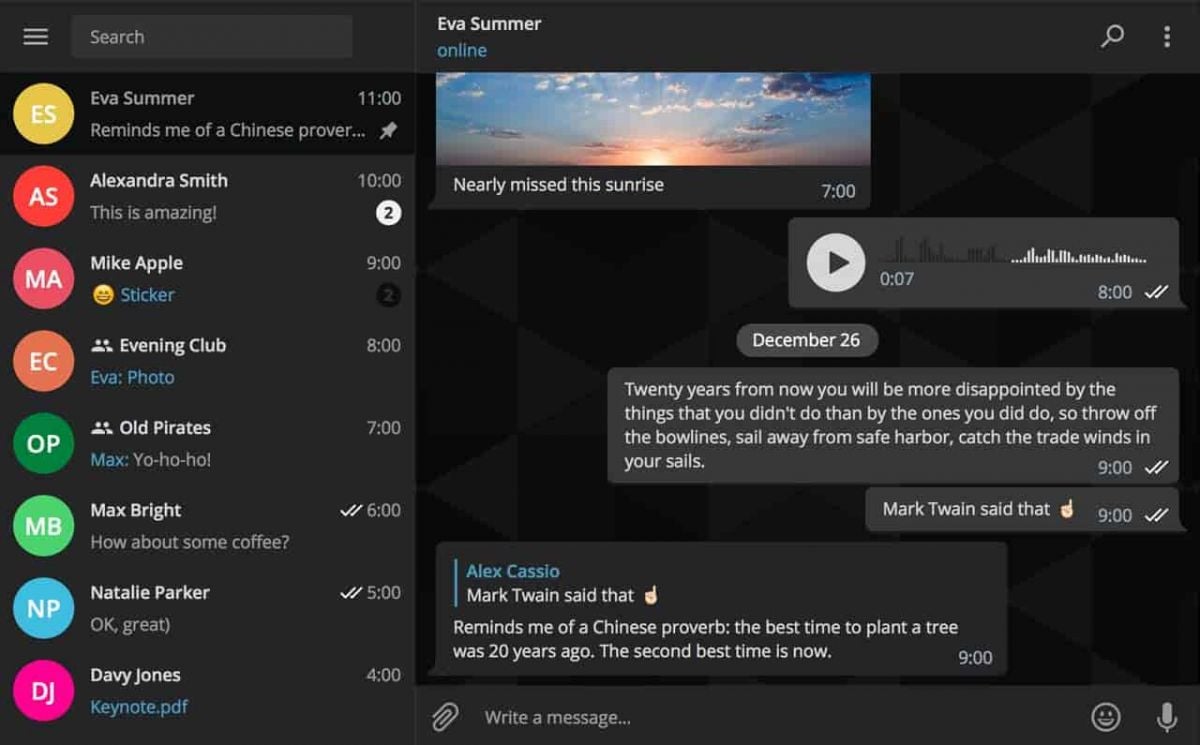
Here is a simple tutorial on how to personalize these features in Telegram.Creating Custom ThemesFor Desktop:1. Open Telegram Desktop and click on Settings.2. Click on Chat settings, then select Create New Theme.3. Name your theme then choose the color of the text, background, and button.4. Click Save Theme once your theme is to your liking.For mobile:1. Enter Telegram from your mobile device: Now, go to Settings > Chat Settings/Appearance.2. Click the Theme then select Create New Theme.3. Give your theme a name and adjust the colors to your liking.4. Tap the upper-right corner to save your changes.Setting Custom Notification Sounds1. Open Telegram chat.2. Click the top-left thumbnail of your profile picture.3. Tap on Notifications, then Customize.4. Select your sound of choice, browse through the provided options, or upload your own.

Install Amazon Shopping
4.8
For PC Users:1. Go to the Amazon official website from here https://www.amazon.com.2. If necessary, create an account or sign in.3. All features are directly available on the website, so there is no need to download an application.

Activate PayPal Account
4.6
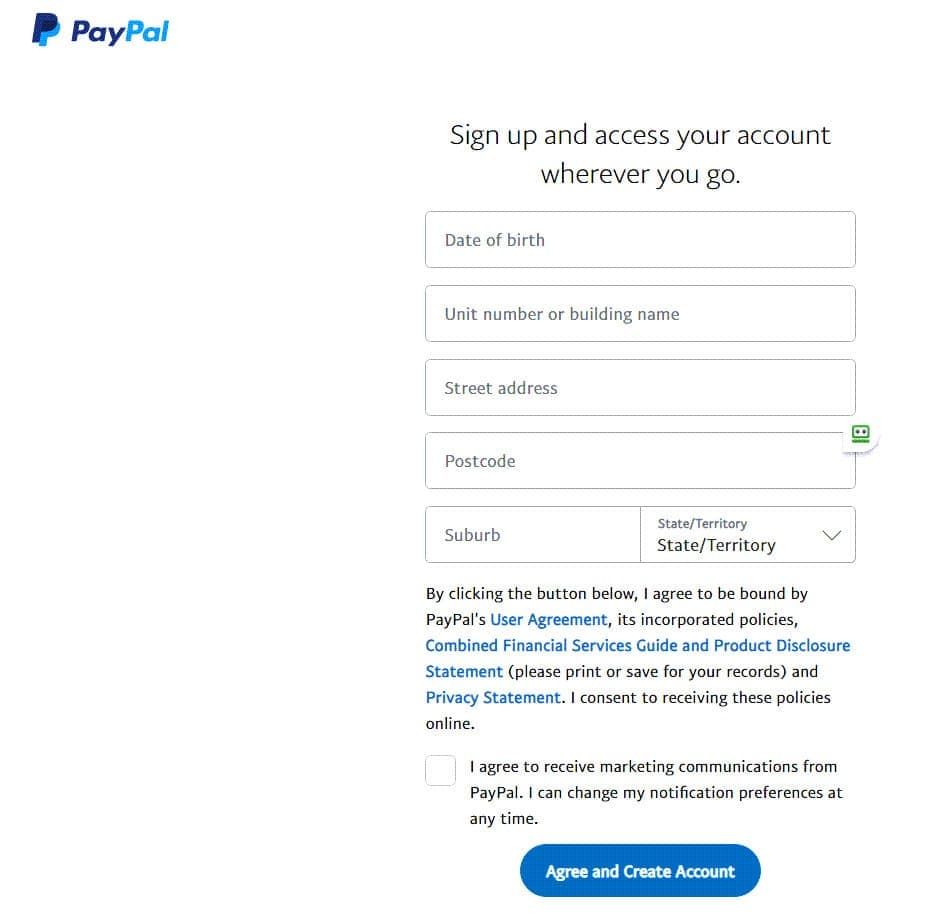
Steps to Create a PayPal Account:1. Visit PayPal Website or Download the App: Open your browser and go to [www.paypal.com] or if you are using any phone or tablet, search for it in the marketplace of your device .2. Click on ‘Sign Up’: To register a new account, go to homepage, the button you need to tap will be “Sign Up.”3. Choose Account Type: Choose between a Personal Account where you can shop and send money as well as a Business Account where you can receive payment and manage business ventures.4. Personal Information: Input your e-mail address, choose a proper password, and type more information including your name and address.5. Agree to Terms: Tick the box that mentions that you have read the terms and conditions of PayPal, and after that press “Agree and Create Account.”6. Add Payment Methods: You can tie your credit/debit card or even bank account in order to facilitate easy and fast transactions.7. Verify Your Email Address: An email with the welcome note and verification link will be sent to your inbox, open the link to verify your account.8. Complete Identity Verification: Provide any additional information required, including uploading ID proof if necessary.

「地上波テレビ視聴」アプリ利用上の注意事項
3.6

Talk Your House Alive
4.2

Strengths Offered by Google Pay for Contemporary Transactions
4.2
1.Universal CompatibilityGoogle Pay connects Android and iOS platforms for sending money via smartphones, smartwatches, and the web. Whereas Apple Pay is limited to iOS, Google Pay works with millions of Android devices around the world and offers some iOS support in markets like the USand India.2.Enhanced SecurityUsing tokenization, card numbers are substituted by unique virtual codes for each transaction, mitigating risk of fraud. More than 90% of transactions are insulated from fraud and safety is augmented with features like biometric authentication and real-time fraud detection.3.All-in-One Digital WalletIn addition to making payments, Google Pay includes transit passes and boarding passes as well as loyalty cards and event tickets. Its compatibility with Google Flights’ price-drop warranty serves as another example of its flexibility.4.Streamlined Business OperationsTraders will enjoy quicker checkouts (20% faster than ever takes before) because the tracking of transactions is done for you and it becomes much easier to keep track of your books. Customers’ expense data made available to them helps creates a focused marketing resulting in increased ROI.5.Cost-Efficiency and AccessibilityFree for customers, Google Pay does away with charges associated with transferring funds, paying and collecting money (except in some linked-card transactions). It’s accepted around the world at millions of shops and sites, which is a convenience factor.

Variety of Vehicles to Choose from
4.8
1.UberX: The Affordable Everyday ChoiceUberX is ideal for cheap and quick rides, UberX includes regular 4-seater vehicles. Perfect for commuting and short runs, this one brings comfort to a budget.2.UberXL: Space for GroupsTraveling with friends or family? UberXL offers SUVs and vans for up to 6 people. Good for airport runs, group outings or toting extra luggage.3.Uber Comfort: More Legroom, Less ConversationChoose a vehicle with more legroom, newer interior and drivers that don't mind an optional quiet ride. Great for your long rides or anyone that wants a little extra room.4.Uber Black/Black SUV: A Touch of ClassUber Black and Black SUV provide luxury vehicles with professional drivers for special occasions or business trips. Indulge in luxury interiors, white gloves service and a hint of glamour.5.Uber Green: Eco-Friendly TravelFor an eco-friendly option, ride with Uber Green in hybrid or electric vehicles to decrease your carbon footprint while getting around.

Ordering Effortlessly on Domino's Pizza
4.6
The power of this approach is diversity and vision. At Domino’s, patrons can place the order using an easy-to-use app, and even the company’s website or smartwatches, as well as through voice assistants. They’ve launched highly creative ways to order, such as tweeting a pizza emoji or pressing a physical button – all in an effort to save time and clicks. This is driven by stored customer profiles, which retain payment and address information so these lightning-fast “one click” reorders are possible. This attention to lowering friction has been a key source of growth, pushing up digital sales in meaningful ways.This "Effortless Ordering" concept is directionally perfect for the consumer of today on-the-go who wants to get food quickly and easily. It is designed for the tech-enabled consumer who loves pizza and often returns again and again due largely to its convenience as they can re-order their usual favorites in seconds, perfect for a pizza night. With their relentless pursuit of a frictionless customer experience, Domino's has built more than loyalty; it’s created a food-service innovator.