

YouTube Apps - Free Download & Official Reviews

Download and Install YouTube
 4.7
4.7
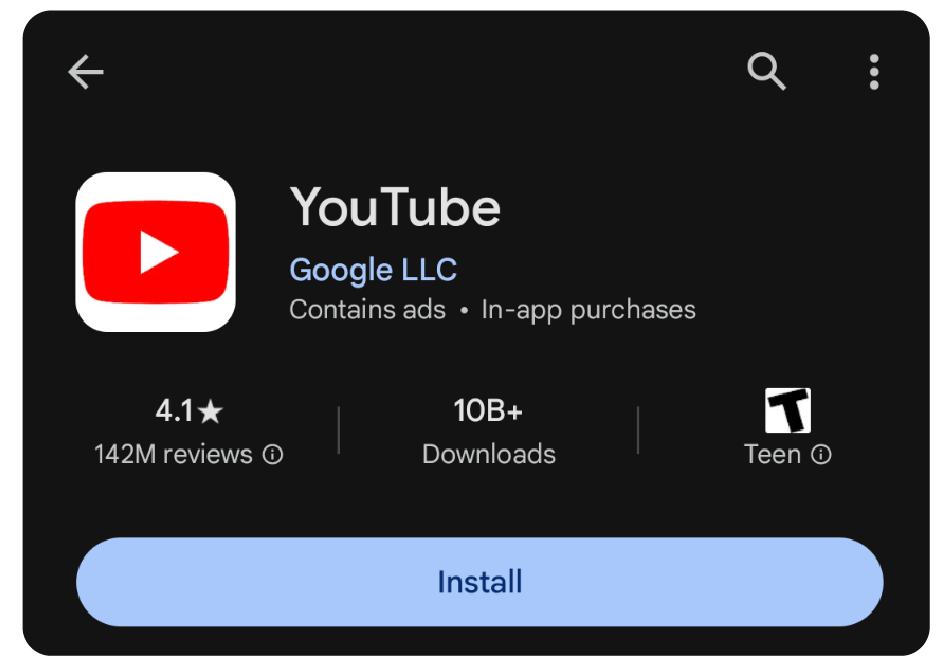
Precise StepsAndroid Devices1. Open Google Play Store.2. Click on the search icon and type “YouTube.”3. Select YouTube from the list given. More directly, visit the downloading page from here https://play.google.com/store/apps/details?id=com.google.android.youtube.4. Tap on “Install” to initiate the download and installation process. Make sure there is enough storage space on your device and a proper internet connection.iOS Devices1. Open the App Store.2. Key in “YouTube” in the search bar.3. Touch YouTube from the search results. In a more straightforward way, get access to the same destination page from here https://apps.apple.com/us/app/youtube/id544007664.4. Click on “Get” to download and install the app. You might be asked to enter your Apple ID password.PC/Laptop (Windows/Mac):For users on PC, you are not required to download any extra application; instead, you can access its official site https://www.youtube.com using any web browser.

How to Subscribe to Channels and Videos
4.7
Detailed Steps1. Open YouTube:- Touch the YouTube icon to open it if you are using app version.- Open youtube.com on your computers with an internet browser if you are desktop user.2. Look for a Channel:- Click or tap on the ‘Search’ button.- Type in the name of the channel you are trying to find.- Press enter or click the search button.3. Subscribe:- Click or tap on the channel once you find it to access its page.- Locate the “Subscribe” button on the home page of the channel.- Click or tap on the subscribe button. It will become “Subscribed” once completed.4. Subscriptions Overview:- Tap the “Subscriptions” link located on the bottom of your mobile display.- On your computer, tap your profile icon and then “Subscriptions” from the menu that appears.


Keep YouTube Current
4.7
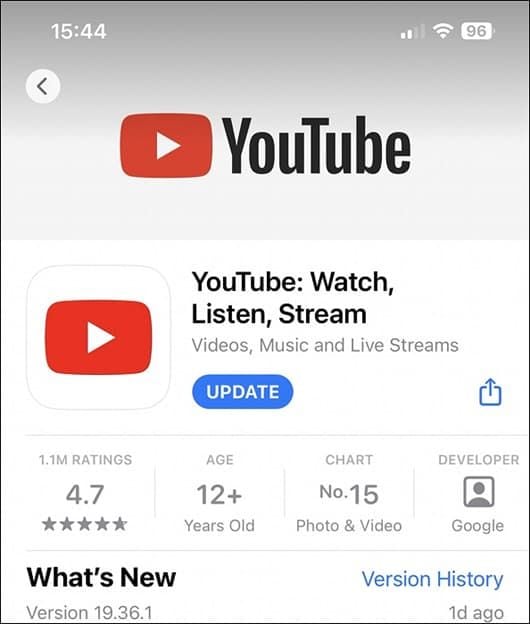
Step by Step SolutionsAndroid Phones:1. Open Google Play Store2. Access the “My apps & games” section and look for YouTube in the list of installed applications.3. If an update is available, tap “Update” to download the latest version.4. Allow the update to download and install. Ensure your device has enough storage space.iOS Devices1. Open the App Store application.2. Tap on your profile icon and scroll to the available updates list.3. Find YouTube and select “Update” to complete the process.PCsIf you are viewing through desktop browser, ensure your browser is up-to-date to support today’s web standards and thus indirectly offers an improved experience on YouTube. It will further offer improved performance when update implementation is applied on the web interface by clearing the cache and cookies.

YouTube Video Playback Problem
4.7
Detailed Steps1. Confirm Internet Connection:- Make sure you are connected to a reliable internet connection. A slow internet connection may result in video playback problems. Restart your router or use a different network.2. Upgrade YouTube:- Make sure your YouTube is updated because outdated versions are usually full of bugs that cause playback issues. You can find an update on the App Store or Google Play Store.3. Clear App Cache:- Go to Settings > Apps > YouTube > Storage > Clear Cache on Android.- Navigate to Settings > General > iPhone Storage > YouTube > Delete Data on an iOS device. Erasing the cache can resolve problems that are caused by corrupted data.4. Disable Hardware Acceleration:- If you are on a browser, try disabling browser hardware acceleration from your browser options. It will resolve video playback problems.5. Experiment with Different Video Qualities- Lower the quality of the video to see if this will fix the problem. High-definition video can cause problems when played back slower.Subsequent to this, if the issue persists, attempt to reinstall YouTube or reach out to the technical support group of the device manufacturer.

How to Download Videos from YouTube
4.7
Detailed Steps1. Use Third-Party Websites or Applications: You are able to download videos from YouTube with tools like TubeMate or websites like Y2Mate. However, the malware risk should be noted and you should ensure staying within local laws. Make sure to verify legality and security in tools like this.2. YouTube Premium: Having a YouTube Premium account allows you to download from the app to watch offline. It is legal and perfectly safe to do so. Not all the videos are downloadable, so don’t forget to ensure the video can be downloaded.3. Verify Video Availability: Not all videos are downloadable, not even with the use of YouTube Premium. Creators can block downloads. Respect creator rights and copyright law when you download material.

Extend Parking with Ease
4.0
Neat, but quite simple. After you activate parking through the Park ATX (which can also send a reminder that your time is almost up), your warning comes when it's about to expire. If you need more time, just open the app and tap “Extend Parking.”No need to re-enter payment information — we take your preferences from your existing card and reload them for the renewal. Now it's essential when meetings go long, while errands stretch out or when you just lose track of time in a café. The app also supplies you with real-time parking rule updates so that you avoid fines while pursuing flexibility.

Discover Nature's Secrets with Plantum's Precision Plant ID
4
For botanists and fans of nature alike, it's easy to take a picture and have the relevant data on the potted plant that you like dumped right in your lap. Things like its botanical name and habitat, considerations for how to care after it and Potential area of application are all described by Plantum. These details together make an integrated picture to further enrich your appreciation and understanding of the broader world we live in.What elevates Plantum above the competition is its continuous pursuit of learning and improvement, a promise that its identification capability will keep pace with the leading edge in technological innovation. Never before has it been so precise and satisfying to explore and identify plants with Plantum.High-precision identification with Plantum. A For such advanced software, which uses artificial intelligence to identify plants, even a smart phone becomes a powerful botanical tool.Now you can capture images of plants and discover detailed information--including classification by species, habitat information, and notes on ecological significance, with unmatched precision. It is a particularly valuable resource for both home gardening and teaching, and an invaluable tool for those who love nature but do not have that love extended vegetablegrower.The precision of Plantum is unmatched in sophistication and ease of use alike, it must be counted as a uniquely accurate and informative guide for the future exploration of the manifold varieties and complexities that comprise plant life. Let's move ahead together, then, into this new world with Plantum.

Master Plant Care with Plantum
4
This app is for new and old plant loves alike. It makes your smartphone into a professional plant care tool. In the big wide world when so many plants seem similar, Plantum's AI technology tells them all apart. The application can differentiate between over 92% of 340,000 plant species:For example, if you take a photo, it will recognize the species in an instant and can identify nearsightedly up to 1480 types of pests and diseases, with 97% accuracy which makes perfect senseThe app offers planting tips based on local information, rather than a one-size-fits-all philosophy perfect for beginners. It even sends timely reminders that indispensable aid to keeping your plant alive. Now whether you want to remove yellowing leaves or look after new saplings, with Plantum you only need give the appropriate instructions and your little piece of sky will become a green paradise.